

Créer son Premier Site WordPress
Créer son Premier Site WordPress
Walid Bergaoui
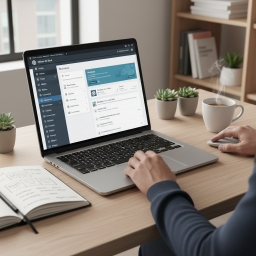
Do you dream of having your own website — for your business, your project, your nonprofit, or simply to exist online — but coding feels like a mountain to climb? Good news: with WordPress, you don't need to be a developer. This training takes you by the hand, starting from scratch, and guides you step by step all the way to publishing your very first website — professional and entirely managed by you. No prior technical skills required: just the desire to build something of your own.
The approach is 100% concrete and hands-on. You first understand what WordPress is and how to register your domain name and hosting, then you install your site and explore its dashboard. Next, you learn to choose and customize a theme that reflects you, to create your pages and posts, to build your menus, and to enhance your site with the essential plugins. Every session moves YOUR real project forward: by the end of each hour, a new building block of your site is in place.
By the end of the program, you walk away with a complete WordPress site — online, polished, and optimized — a site that you now know how to grow on your own, without depending on anyone. You master the basics of SEO settings, security, backups, and routine maintenance. The web will no longer hold any intimidating secrets for you: you will have become the master of your online presence.
This training isn't just theory: you finish with a tangible result and the keys to keep going on your own.
A site online, your own — a real WordPress site, published and functional, ready to welcome your visitors.
Complete autonomy — you know how to add a page, publish a post, and change your design without outside help.
A secured and backed-up site — the right habits to protect your work and sleep soundly.
A go-live checklist — a clear reference to launch this site and all your future WordPress projects.
A progressive and entirely hands-on journey: in every session, you build a part of your own site. You start from scratch and walk away with a WordPress site online that you know how to keep alive on your own.
1. What is WordPress, and who is it for? — understand the difference between WordPress.com and WordPress.org, what you can create (showcase site, blog, store), and define the goal of YOUR site.
2. Domain name & hosting — choose and register a domain name, understand hosting, and lay the groundwork for your site.
3. Install WordPress & explore the dashboard — the guided installation, then a full tour of the admin interface.
4. Choose and install a theme — find the right design, install it, and activate it to establish your site's visual identity.
5. Customize its appearance — logo, colors, typography, header, and footer: make the site truly your own.
6. Create your pages with the block editor — master Gutenberg to build your Home, About, and Contact pages.
7. Posts, media & menus — publish a first post, manage the image library, and organize navigation through menus.
8. The essential plugins — contact form, image optimization, and useful features, without weighing your site down.
9. SEO, security & backups — the basics of SEO to be found on Google, protect your site, and back up your work.
10. Going live & maintenance — final settings, launch checklist, then managing updates for a site that lasts.
Créer son Premier Site WordPress
Créer son Premier Site WordPress
No comments yet.
Log in to comment.